Intero Insight

See who you reach.
And who you don’t.

Put your LinkedIn networks to work—for better conversations, useful introductions, and more informed hiring.

What could your network help you do?

Find a way into the accounts that matter.

Your next conversation may start with someone your team already knows. Find who to ask before sending another cold email.

Start with a name, not a cold list.

See which teammate is connected at each target account, then ask about the relationship.

Put effort where it is needed.

Check prospect, customer, member, or event lists. Separate possible introductions from the gaps that need outreach.

See where you depend on one person.

Find accounts connected through just one teammate—and where others could help.

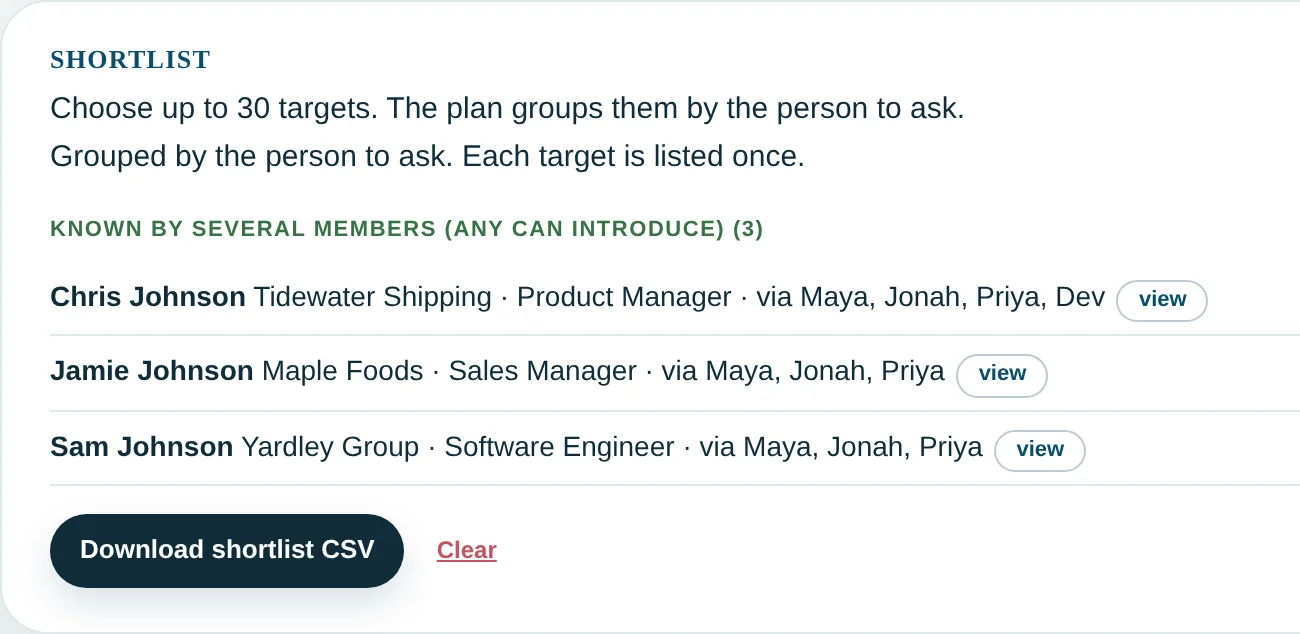
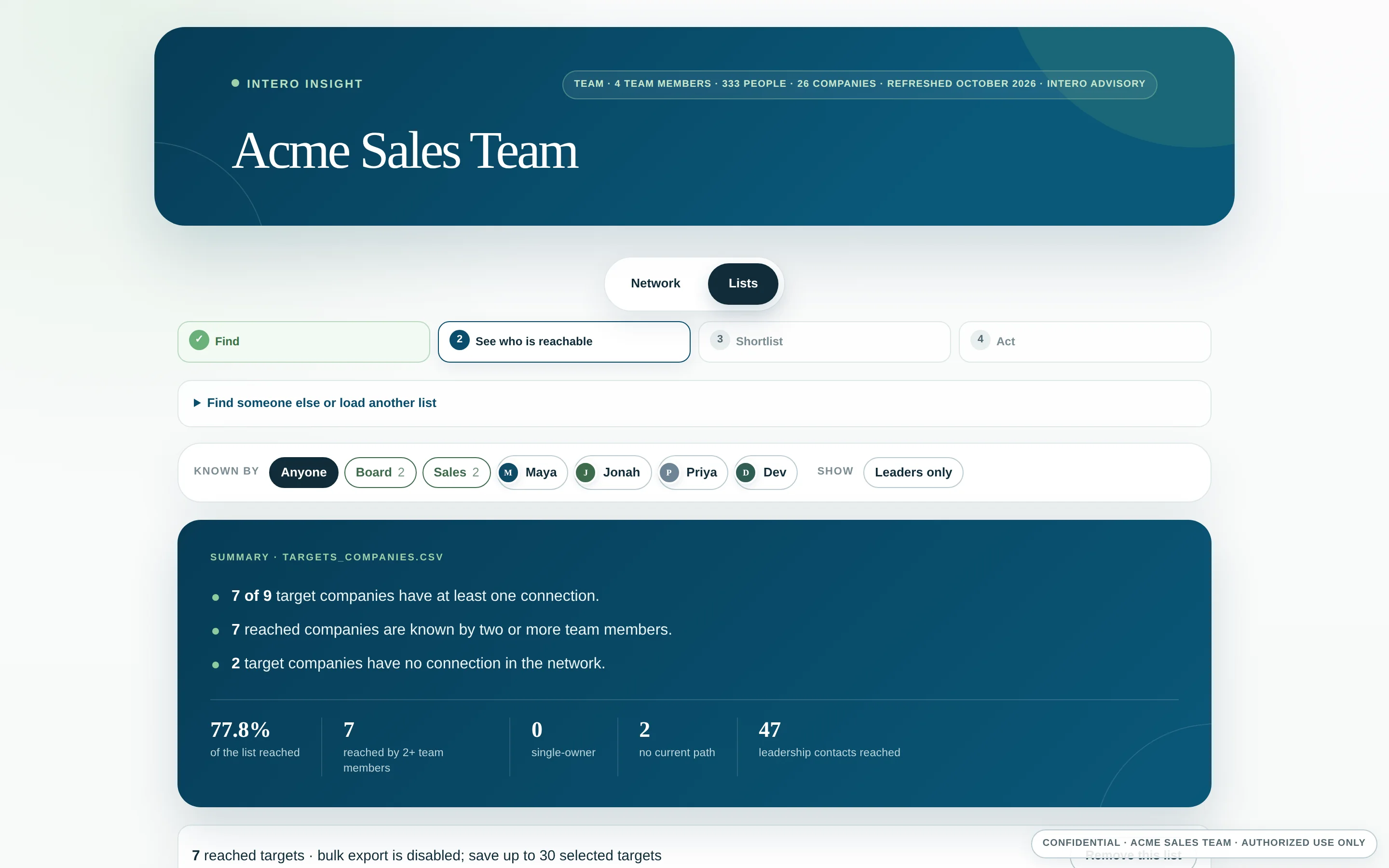
Team members connected to target companies, showing multiple and single-person connections.
Team connections to target companies. Illustrative example with fictional data.

Help members reach the people they need.

Replace another “Does anyone know someone?” with a specific company, a member’s name, and a conversation about the connection.

Make it easier to help each other.

Find which members are connected at the company someone wants to reach.

Give members value between meetings.

Use the shared view to build a shortlist and ask for help when an opportunity comes up.

Find a starting point for new members.

Check prospective members against the group’s networks before starting cold.

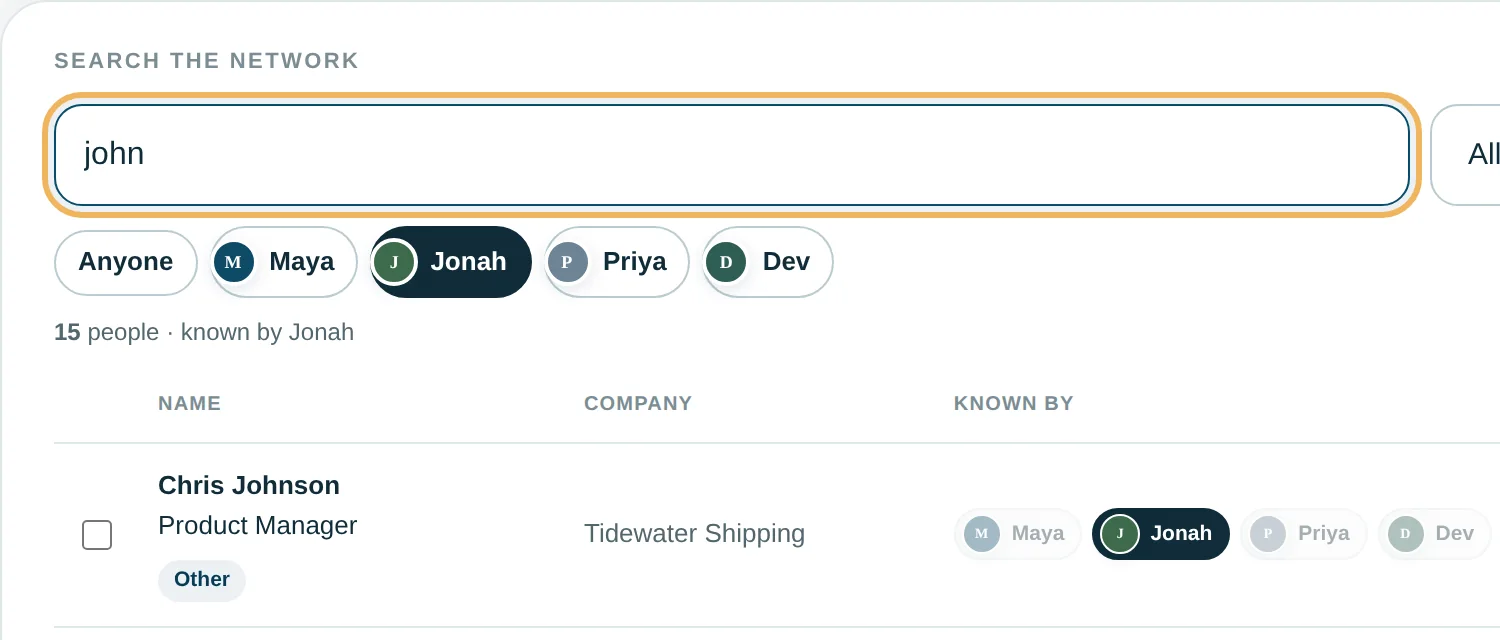
A group network example showing which members are connected to people at a selected company.
A company search across member networks. Illustrative example with fictional data.

Know what to ask before you hire.

A résumé tells you where someone worked. With a finalist’s consent, see where their LinkedIn network overlaps your market—and make the interview more specific.

Put “I know that market” to the test.

Find connections at relevant companies and ask the candidate about the relationships behind them.

See the gaps before setting expectations.

Understand which parts of your market would require new relationship-building.

Have a more informed interview.

Use a market summary to guide the discussion—not a contact list or an automated hiring verdict.

Hiring pricing is confirmed on a call.

A candidate network compared with target market segments, showing company coverage and gaps.
Candidate network compared with a target market. Illustrative example with fictional data.

How people use Intero Insight.

Leadership

  • Know how many of your targets the team can actually reach.
  • Find the connections that depend on one person.
  • Stop guessing where to spend relationship time.

Sales

  • Stop cold-emailing a company your coworker already knows.
  • Know who to ask before you reach out.
  • Save cold outreach for the accounts with no other way in.

Marketing

  • Know how much of your list the company already reaches.
  • Send invitations from a person, not a mailbox.
  • Point content where you have no connections.

Sponsorship

  • Know which sponsors someone on your board already knows.
  • Ask the person who knows them, not the inbox.
  • Skip the cold sponsorship deck.

Fundraising

  • Stop asking “does anyone know someone at…” in meetings.
  • See who on your prospect list is within reach.
  • Know who to ask before you ask for the gift.

HR / Talent Acquisition

  • Find out if a finalist knows the market, not just says they do.
  • See where their network overlaps your targets and where it doesn’t.
  • Ask about specific companies, not “tell me about your network.”

Networking Groups

  • Name a company. See who knows someone there.
  • Ask for one introduction, not for help.
  • Keep helping each other between meetings.

Peer Advisory / Mastermind

  • Bring a target to the meeting and find out in seconds who might help.
  • Stop relying on memory for who knows whom.
  • Don’t lose the introduction after the meeting ends.

$600 per quarter

Or $2,000 paid annually.

Includes your configured Active View, setup, kickstart, readout, and quarterly network refreshes.

Pricing varies for: customization, additional networks, Intero-run list matching or cleanup, additional views, or added support.

Get started
What do we need to get started?

Each participant opts in and provides their LinkedIn connection export. Your Active View—the searchable view of your combined networks—is configured within 48 hours after we receive the required files. The kickstart helps everyone get started; the readout walks through what the network reveals.

Who can access the network?

Your team or group chooses who gets access to the password-protected view. Exports are limited to selected results. If someone leaves, tell us: we remove their network and update the password. For hiring, your team receives a market summary, not the candidate’s raw contact list.

What if we need more help?

Training, coaching, action plans, list preparation, extra refreshes, and hands-on support are additional services. You can also buy coaching and support separately. See how we help →